
Landing Pages
LilSEO Documention
A detailed guide with step-by-step instructions on how to use our Local SEO Plugin.
Simple, straight-forward and to the point.
LilSEO Plugin: Landing Pages
Landing Pages form the backbone of your website’s local SEO or PPC strategy. They can drive significant organic or paid traffic to specific locations, services, or products, provided your content is optimised effectively for search engine rankings. By utilising location-based landing pages, you can increase visibility across a wide geographical area, improving your chances of reaching the right audience.
To begin using the LilSEO plugin, you need to create Area Pages for each location you want to target. You can do this manually or by importing data through a CSV file, ensuring you include essential location details such as Town, City, Postcode, County, Country, and Telephone Number. Each Area Page represents an area or region you want to optimise for, and this structured approach allows you to manage content for multiple regions effortlessly.
Assigning Landing Pages to Area Pages
Once your Area Pages have been set up, the next step is to create and assign Landing Pages to each Area Page. Landing Pages represent the specific services or offerings within each geographical area, enabling you to deliver highly relevant content to users based on both location and service.
Landing Pages
Landing Pages are the key conversion pages that you want your users to land on. For example, if you’re building a website for a local Plumber, and they provide services like “Plumbing,” “Gas Engineers,” and “Radiator Installations,” each of these services would have its own Landing Page. These Landing Pages will be assigned to the appropriate location, ensuring that users searching for services in their area are directed to the relevant page.
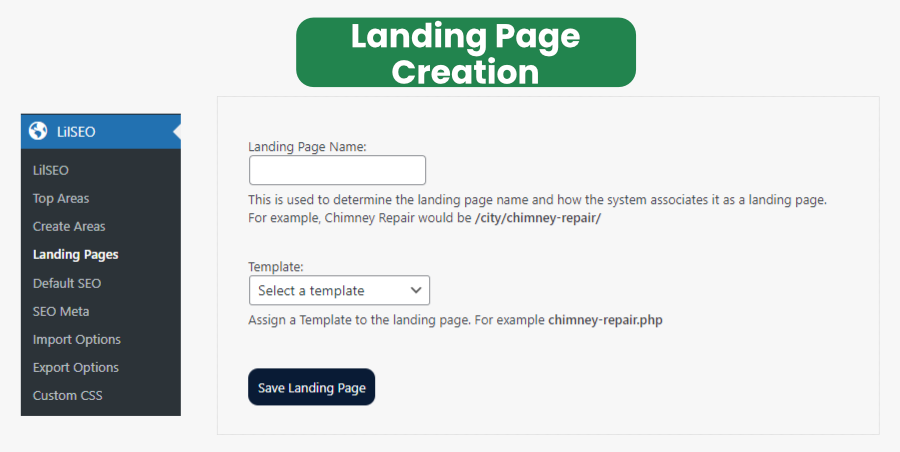
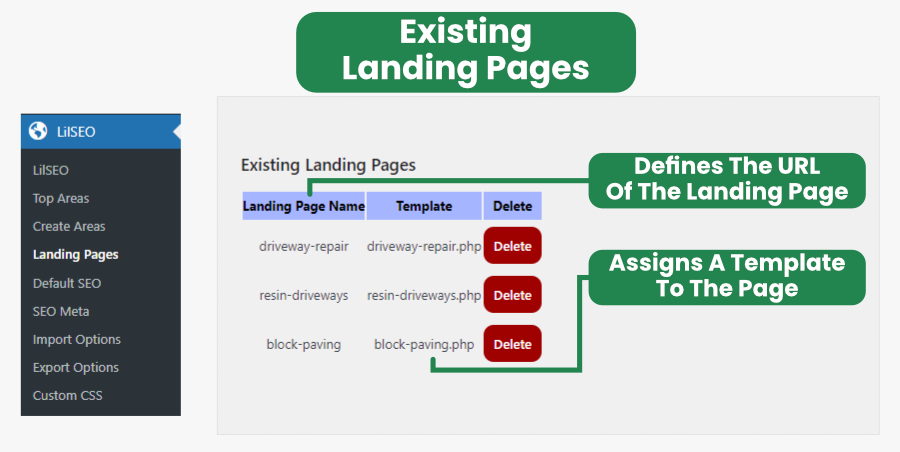
With the LilSEO plugin, you can create Landing Pages manually or upload them in bulk using a CSV file. Each Landing Page is automatically assigned to the corresponding Area Page in the system. This automation significantly reduces the time spent managing multiple locations and services, allowing for scalable SEO & PPC efforts across numerous areas.
Assigning Templates to Landing Pages
When creating a Landing Page, you will also need to assign a Template to determine the design and content layout for that page. Templates are crucial for maintaining consistency across your landing pages. For instance, if you have a page for /southampton/dog-walkers/, it could be assigned the dog-walkers.php template. This template would be stored in the /wp-content/uploads/lilseo/templates/ folder, ensuring that the relevant service-specific content is displayed dynamically based on the URL structure.
Keep in mind that you will need to manually create the Template file, insert your shortcodes throughout and then upload it to /wp-content/uploads/lilseo/templates/ for this to work.
This flexible template system allows you to create highly targeted landing pages for specific services in specific areas, further enhancing your local SEO efforts.
For more detailed information on how Templates work and how to configure them for your Landing Pages, visit the Templates section of our documentation.