
Templates
LilSEO Documention
A detailed guide with step-by-step instructions on how to use our Local SEO Plugin.
Simple, straight-forward and to the point.
LilSEO Plugin: Templates
Please Note: To see a Template in action, please check out the LilSEO Demo Landing Page. From here, you can download the example Template files that we have used so you can understand and alter the content accordingly.
The LilSEO Plugin’s template system is designed to be as straightforward as possible, allowing you to seamlessly manage the content and layout of your landing pages across multiple locations. By utilizing templates, you can maintain a consistent design and structure while delivering relevant, localized content to your users.
LilSEO’s template system simplifies managing large numbers of landing pages. Agencies can create a template once and apply it to multiple pages, ensuring brand consistency and saving time on repetitive tasks. The ease with which agencies can make global changes through templates is a potential time-saver compared to other plugins.
To get started with templates, all you need to do is navigate to the /wp-content/uploads directory via FTP, cPanel, or whichever file management system you use. Once there, create the following folders /lilseo/templates so the folders should look like this: /wp-content/uploads/lilseo/templates/.
From there, just upload your template files into the /templates folder and provided it’s a valid .php file, they will be visible and appear as options when assigning a template to a Landing Page.
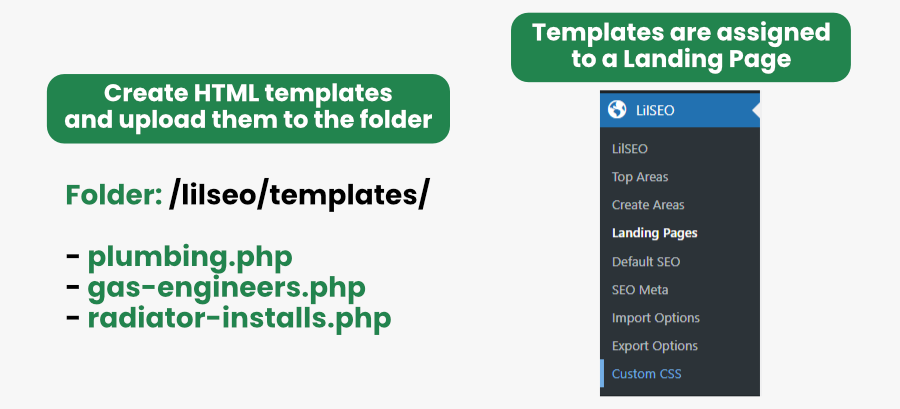
Assigning A Template
As described in our Landing Pages section, assigning a template to a Landing Page is easy. When you create a Landing Page, you’ll have the option to assign a specific template to it. Make sure the template file you want to use is uploaded to the /wp-content/uploads/lilseo/templates/ folder before assigning it.
For example, if you have a landing page for /hampshire/southampton/dog-walkers/ and have created a template called dog-walkers.php, simply assign that template to the page. When users visit /hampshire/southampton/dog-walkers/, the content and design displayed will be pulled from the /dog-walkers.php file. This flexibility allows you to deliver highly targeted content while maintaining consistency across your pages.
Rapid Template Changes
One of the greatest benefits of using the LilSEO Plugin’s template system is the ability to make rapid changes across multiple pages. If you need to update or adjust the content for a specific service or location, you only need to modify the template file, save the changes, and they will automatically apply to all relevant landing pages using that template.
This feature dramatically reduces the man-hours required to manage multiple landing pages for different areas, services, or products. For instance, if you manage hundreds of landing pages for a local business, updating one template will instantly reflect those changes across all corresponding pages—eliminating the need for manual edits on each page.
Do keep in mind that if you’re using a caching plugin, changes to templates may not appear instantly. In such cases, clearing your cache will ensure that the updated content is displayed immediately.