
Settings
LilSEO Documention
A detailed guide with step-by-step instructions on how to use our Local SEO Plugin.
Simple, straight-forward and to the point.
LilSEO Plugin: Settings
The Settings section
Step 1: Activate Your License Key
Once the plugin is installed and activated, the next step is to activate your license key to unlock the full functionality of the LilSEO plugin.
- In your WordPress dashboard, navigate to LilSEO > LilSEO which is the main section to activate the plugin.
- In the License Key field, enter the activation key you received in your email when you signed up on LilSEO.com.
- Click Activate License.
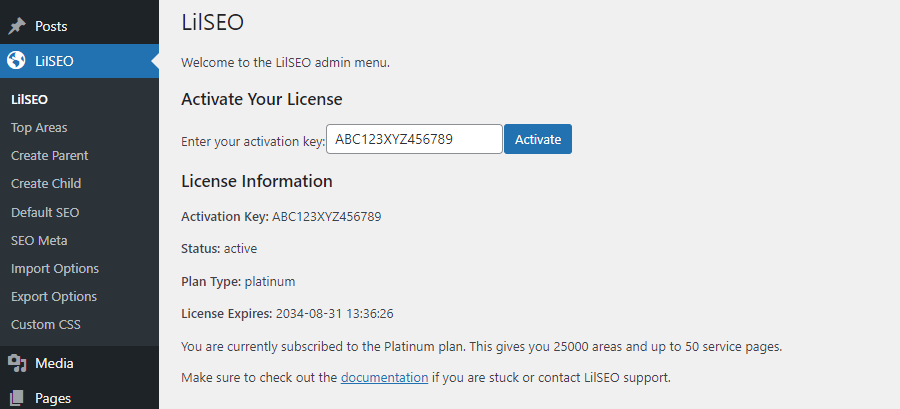
Once your license is activated, the plugin will unlock its full range of features based on your plan.